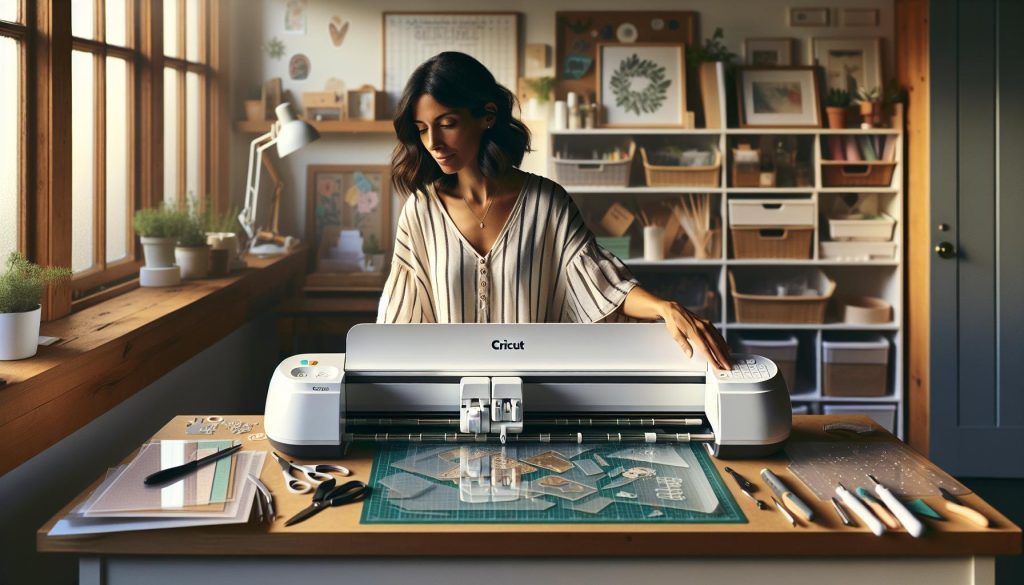
If you’re a DIY enthusiast or aspiring jewelry maker, you may wonder if your Cricut can tackle acrylic sheets. This versatile machine can indeed cut acrylic, but understanding its limitations and capabilities is essential before diving into your next project. Did you know that the Cricut Maker can only handle acrylic up to 2.4 mm thick? Knowing this helps ensure you have the right materials on hand for your creative ideas. Whether you’re designing unique jewelry pieces, personalized gifts, or intricate templates, mastering the art of cutting acrylic with Cricut opens up a whole new world of possibilities. Join us as we explore the nuances of Cricut’s capabilities, ensuring you make informed choices for your crafting journey. With the right insights, you can transform your ideas into stunning reality!
Can Cricut Cut Acrylic? Understanding the Basics of Material Cutting
Cricut machines have revolutionized the crafting world by offering a versatile tool for cutting various materials, including acrylic. Yet, it’s essential to understand that not all acrylics are created equal when it comes to compatibility with Cricut devices. The Cricut Maker, for instance, can cut acrylic, provided the right thickness and type of material are chosen. Generally, it can handle acrylic sheets with a maximum thickness of 2.4 mm, making it suitable for various craft and jewelry projects.
Before embarking on your acrylic cutting journey, consider the specific properties required for successful results. Not every acrylic sheet will yield clean cuts-opt for high-quality sheets that are specifically designed for crafting. These sheets typically come in clear or colored varieties and can be used for creating custom jewelry components, signage, and decorative elements. Research brands or products that have been tested and recommended by other crafters to ensure the best results.
When preparing to cut acrylic, ensure your Cricut is equipped with the right blade-typically, a fine-point blade or a deep-point blade is recommended for thinner materials. Properly calibrate your machine settings and consider making test cuts to fine-tune your approach before executing your final design. This attention to detail can lead to fantastic results, transforming your creative visions into tangible artifacts.
The Best Cricut Machines for Cutting Acrylic
Acrylic cutting can turn your creative visions into reality, and choosing the right Cricut machine is crucial for achieving clean, professional results. Among the range of available Cricut machines, the Cricut Maker stands out as the best option for cutting acrylic. With its ability to handle various materials and the versatility of additional blades, it can effortlessly cut acrylic sheets up to 2.4 mm thick, making it perfect for a variety of crafting projects such as jewelry making or custom decor.
For those seeking a more budget-friendly option, the Cricut Explore Air 2 also performs admirably with thinner acrylic sheets. Although it may not handle thick acrylic as well as the Maker, it is a reliable choice for simple designs or small projects. The combination of speed and precision makes it an excellent starter machine for beginners who want to explore acrylic crafting without a hefty investment.
When determining which machine suits your needs, consider the types of acrylic projects you wish to undertake. Higher-end models like the Cricut Maker 3 offer enhanced capabilities, such as the ability to cut longer lengths of material, which is beneficial for larger projects. Conversely, if your focus is on smaller items like keychains or jewelry, other models may suffice, saving you both space and cost. No matter which Cricut machine you choose, ensure it is equipped with the proper blade-typically, a fine-point blade is ideal for most acrylic tasks. By investing in the right equipment, you can unlock a world of creativity and elevate your crafting to new heights.
Step-by-Step Guide: How to Cut Acrylic with Cricut
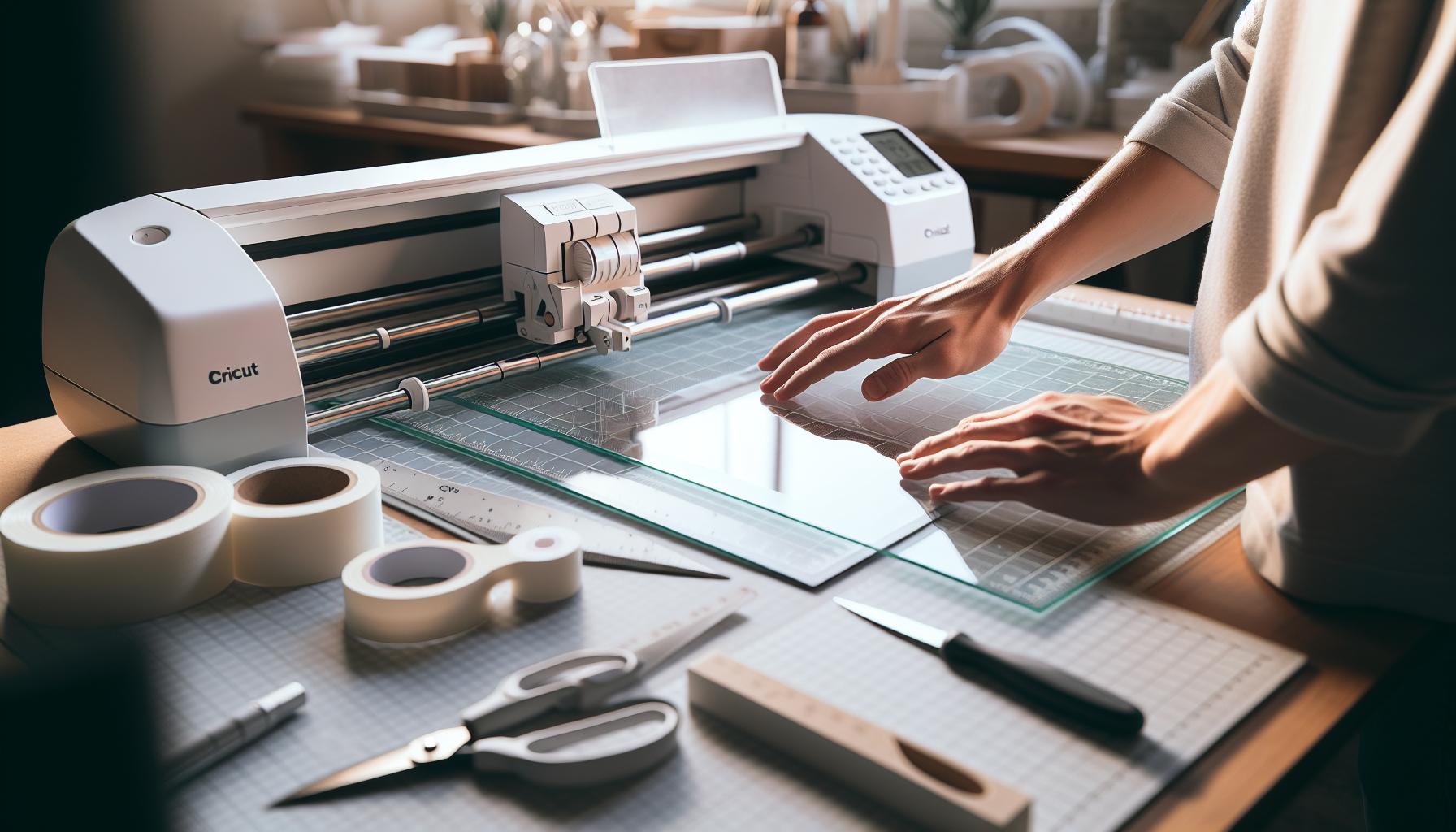
Cutting acrylic with a Cricut machine opens up a world of creativity, enabling you to craft stunning designs with precision. Whether you’re aiming to create custom jewelry, decorative pieces, or signage, the process can be straightforward if you follow a few essential steps. Here’s how to achieve beautifully cut acrylic with your Cricut.
Start by selecting the right type of acrylic. The Cricut Maker can handle acrylic sheets up to 2.4 mm thick, so it’s important to check the thickness before you begin. Thinner sheets are easier to cut and work well for intricate designs, while thicker sheets can be used for sturdier projects. Once you have your acrylic, prepare your machine by installing a fine-point blade, which is ideal for cutting acrylic smoothly.
Next, design your project in the Cricut Design Space. Import or create your artwork, and adjust the dimensions according to your material. Make sure to set the material type to “Acrylic” in the software settings, which will ensure your machine uses the appropriate cutting pressure and speed. After your design is ready, load the acrylic sheet onto a strong grip mat, ensuring it’s securely adhered to prevent any shifting during the cutting process.
Once everything is set, click “Go” to let your Cricut do the work. Keep an eye on the cutting process to ensure there are no complications. After the cutting is complete, carefully remove the acrylic from the mat. Depending on the intricacy of your design, you may need to use a weeding tool to remove excess material gently. Take your time to avoid cracking or damaging the acrylic edges.
Following these steps ensures a smooth cutting experience with your Cricut machine. Not only will this process help you create stunning acrylic projects, but it will also boost your confidence in working with this versatile material. Happy crafting!
Tips and Tricks for Optimal Acrylic Cuts
Cutting acrylic with a Cricut machine can transform your crafting experience, allowing you to create intricate designs and stunning jewelry pieces with ease. However, achieving optimal results requires a few key tips and tricks to consider throughout the process. First and foremost, always choose the right type of acrylic. Not all acrylic sheets are created equal; opt for cast acrylic, as it cuts cleaner and is more forgiving than extruded acrylic. Experiment with colors and finishes to find what best suits your project.
To maximize your cutting precision, ensure that your acrylic is well-secured on a strong grip mat. If your acrylic begins to shift during the cutting process, it can lead to jagged cuts and ruined designs. For complex shapes, consider adjusting the speed settings to a slower pace. Slower cuts reduce the risk of the acrylic melting and help maintain the integrity of detailed designs. Additionally, if your machine offers multiple passes, utilizing this feature can enhance the clean edges of your cuts.
Another critical aspect is the blade you use. A fine-point blade is typically suitable for most acrylic, but as the thickness of your material increases, a deep-point blade may be warranted for thicker acrylic sheets (up to 2.4 mm). Always remember to check the blade’s sharpness; dull blades can cause tearing and messy edges, compromising the quality of your finished piece. Regularly replacing your blade will ensure cleaner cuts and extend the life of your machine.
When your project is ready for weeding, approach this step with care. Use a weeding tool for precise removal of excess material, particularly for detailed designs where small pieces can be fragile. Take your time during this phase to avoid cracking the acrylic, especially near cuts and edges. Lastly, don’t forget to clean your acrylic after cutting to eliminate any debris or dust that may be left behind, ensuring that your finished project shines beautifully. Happy crafting!
Common Mistakes to Avoid When Cutting Acrylic
Cutting acrylic with a Cricut machine can open up a world of creative possibilities, but many crafters encounter pitfalls that can hinder their success. One common mistake is underestimating the importance of correctly selecting the acrylic type. Opting for extruded acrylic, which can melt or warp during cutting, can lead to frustrating outcomes. Always choose cast acrylic for cleaner cuts and a more manageable experience.
Another frequent error occurs with mat preparation. Insufficiently securing the acrylic to your cutting mat can lead to shifting during the cutting process, resulting in uneven or jagged edges. Ensure your acrylic is firmly affixed using a strong grip mat or a few strategically placed adhesive strips along the edges. It’s also vital to ensure the mat is not overly worn. A fresh mat provides better grip and precision.
Settings and Blade Choices
Many users fail to adjust their machine’s settings according to the thickness of the acrylic. Slower cutting speeds generally yield better results, as they minimize heat buildup and reduce the risk of melting. If working with thicker sheets, upgrading from a fine-point blade to a deep-point blade can provide a more effective cut. Regularly inspect and replace dull blades as they can tear the material rather than providing a clean cut.
Weeding and Post-Cut Care
Weeding is another area where crafters often struggle. Rushing through this process can lead to breakage of delicate pieces, particularly intricate designs. Use a dedicated weeding tool and patience to carefully remove excess material. Lastly, remember to clean your acrylic pieces post-cutting. Dust and debris can accumulate and obscure the final result; a quick wash will ensure a polished look for your finished project. By avoiding these mistakes, you’ll enhance your crafting experience and achieve outstanding results with your Cricut and acrylic creations.
Exploring Acrylic Thickness and Cutting Limitations
Many crafters are eager to explore the creative potential of acrylic cutting with their Cricut machines, but understanding the implications of acrylic thickness is crucial to achieving successful results. Acrylic can vary widely in thickness, with common options ranging from thin sheets of 1/16 inch to thicker variations up to 1/4 inch or more. The Cricut Maker is designed to cut synthetic materials, but careful consideration of acrylic thickness will directly impact the quality of your cuts and the types of projects you can accomplish.
Thin acrylic sheets, generally under 1/16 inch thick, are easier to handle and cut smoothly with standard settings on the Cricut Maker. These lightweight pieces work well for creating intricate designs, detailed jewelry, or layered projects that require precision. However, as the thickness increases, the challenge grows. For sheets thicker than 1/8 inch, users may encounter issues such as uneven cuts or the machine straining to push through the material. In such cases, adjusting the machine’s settings to lower speed and higher pressure can help, but you may also need to switch to a deep-point blade for optimal results.
When approaching thicker acrylic, it’s also important to consider heat buildup during the cutting process. As the blade cuts through the material, friction generates heat, which can cause melting or warping. Keeping the cutting speed slow, taking breaks while cutting, and using passes to achieve the cut depth can help mitigate these risks. Always test your settings on a scrap piece first to avoid wasting materials and to fine-tune your machine for the specific type and thickness of acrylic you’re using.
In summary, knowing the thickness of your acrylic and adjusting your Cricut machine settings accordingly can mean the difference between a flawless project and a frustrating experience. Whether you are crafting personalized jewelry or decorative elements, understanding cutting limitations is essential for bringing your creative vision to life. Remember, experimentation is key, so embrace the learning curve and refine your process as you go!
Recommended Tools for Cricut Acrylic Projects
When it comes to working with acrylic in your Cricut projects, having the right tools can make all the difference in achieving professional-looking results. To get started, consider investing in a few essential items that will enhance your cutting experience and improve the quality of your finished projects.
- Deep Point Blade: This specialized blade is designed for cutting through thicker materials, including acrylic up to 2.4 mm. Switching to the deep point blade will allow your Cricut to handle more challenging materials without creating uneven cuts.
- StrongGrip Mat: A strong grip mat is critical for holding the acrylic securely in place during cutting. It’s advisable to ensure the mat is fresh and sticky to prevent any shifting that could ruin your design.
- Masking Tape: Using tape around the edges of your acrylic piece can help hold it down and prevent any shifting. This is especially useful when you are working with smaller pieces or intricate designs.
- Transfer Tape: After cutting, you’ll want to transfer your designs onto their final surface. Transfer tape allows you to lift intricate and delicate designs off the mat effortlessly, ensuring they remain intact.
- Cutter’s Tool or Weeding Tools: These tools help you remove small, intricate pieces from your acrylic cutouts and clean up edges. They can also assist in popping out any intricate designs without damaging the main piece.
Investing in these tools not only enhances your cutting accuracy but also streamlines your workflow. Many crafters find that adding a craft knife to their toolkit helps with precise adjustments and finishing touches post-cutting. Additionally, having cleaning supplies, such as microfiber cloths, can help you maintain your acrylic pieces and ensure they look pristine before presenting or utilizing them in your projects.
Ultimately, embracing the right tools allows for greater creativity and fewer frustrations, letting your imagination run wild as you explore the versatile world of acrylic crafting with your Cricut. The more prepared you are, the more confidently you can create durable and stunning jewelry pieces or decorative elements for any occasion.
Creative Ideas for Acrylic Projects with Cricut
Creating with acrylic can unlock a vibrant world of possibilities for your projects, especially when using a Cricut machine. The versatility of acrylic allows for a range of creative endeavors, from decorative home accents to personalized jewelry. One exciting idea is transforming acrylic sheets into unique keychains. By cutting out fun shapes or custom names, you can design eye-catching accessories that reflect your individual style. To elevate your design, consider adding colored vinyl or etching details for a more polished look.
Another delightful project involves crafting custom ornaments. Acrylic ornaments can be cut into intricate holiday designs or personalized to celebrate special occasions, such as weddings or anniversaries. By layering different acrylic colors, you can achieve stunning three-dimensional effects that sparkle beautifully in the light. These custom pieces can serve as cherished gifts or memorable keepsakes for any occasion.
For those looking to enhance their living spaces, consider making acrylic wall art. Use your Cricut to cut inspirational quotes or abstract designs from acrylic sheets, which can be mounted directly on walls or framed as stand-alone art pieces. The transparency of acrylic allows for stunning layering effects when paired with contrasting surfaces, creating dramatic visual interest that can brighten up any room.
Additionally, many crafters are exploring the world of jewelry-making with acrylic. From earrings to necklaces, the ability to cut acrylic into intricate designs opens up endless possibilities. Create bold statement pieces or delicate, minimalist styles with ease. Incorporating mixed materials, such as metal or leather, alongside acrylic can further enhance the uniqueness of your creations, making them stand out in any jewelry collection.
With the right imagination, acrylic can become the foundation of your next creative masterpiece, allowing you to explore and express your artistic vision like never before. Whether you’re a novice or an experienced crafter, the potential to innovate with acrylic using your Cricut is both exciting and rewarding.
Maintenance and Care Tips for Your Cricut Machine
Ensuring the longevity and optimal performance of your Cricut machine, especially when working with materials like acrylic, involves regular maintenance and care. By dedicating a little time to upkeep, you can keep your machine running smoothly and achieve the best results in your crafting projects.
To begin with, always keep your machine clean. Dust and debris can accumulate over time, especially in the cutting area. Use a soft, lint-free cloth to gently wipe the exterior and be cautious around the blade housing. For the cutting mat, remove any leftover material from previous projects with a scraper tool to prevent interference with new cuts. Regularly replace worn or damaged cutting mats to maintain effective adhesion, ensuring that acrylic sheets hold securely during cutting.
Furthermore, regularly inspect and maintain the blades. The rotary and fine-point blades are essential for precise cutting, particularly with harder materials like acrylic. If you notice any dullness or fraying, it’s time to replace the blade to save time and trouble during your crafting sessions. You can also make it a practice to perform regular software updates on your Cricut machine to access new features and performance enhancements that can help manage cuts more effectively.
Finally, storing your Cricut machine properly is crucial. Keep it covered when not in use, away from direct sunlight and extreme temperatures, which can affect both functionality and materials stored nearby. This simple step can significantly extend the life of your machine, helping you create beautiful acrylic projects for years to come. By instilling these maintenance habits, you ensure a seamless crafting experience that empowers your creativity.
User Experiences: Cricut and Acrylic Cutting Success Stories
Unlocking the potential of a Cricut machine opens up a world of creativity, especially when it comes to cutting acrylic. Many users share inspiring stories of how they transformed simple sheets into stunning custom pieces. Whether crafting jewelry, home decor, or personalized gifts, the success stories surrounding Cricut and acrylic cutting are both motivating and informative.
One notable experience comes from a DIY jewelry maker who discovered the joy of creating intricate acrylic earrings. By carefully selecting a 2mm acrylic sheet and mastering the settings on her Cricut Maker, she was able to produce beautiful, lightweight pieces that were perfect for everyday wear. She emphasizes the importance of trial and error, and how adjusting the pressure settings allowed her to achieve clean cuts without any cracks or unwanted edges. Her journey reflects a common theme among users: the more you experiment with settings and materials, the more refined your results will become.
Another user shared her story of crafting custom signs for a local business using colored acrylic. After successfully cutting the acrylic, she painted the edges with metallic paint for a professional finish. This attention to detail not only beautified the signage but also showcased the versatility of acrylic when paired with a Cricut machine. The ability to mix and match colors influenced her to explore even more creative avenues, such as designing seasonal decorations.
For those looking to dive into the world of acrylic projects, user testimonials are invaluable. They often highlight key tips such as optimal blade choices, the perfect thickness of materials, and maintaining the cutting mat for consistent quality. With each project, enthusiasts learn to navigate the nuances of acrylic, creating unique designs that reflect their personal style while showcasing the reliable performance of Cricut machines. Embracing these shared experiences can empower newcomers to take bold steps in unleashing their own creativity with acrylic cutting.
These stories not only inspire confidence in the machine’s capabilities but also foster a sense of community where crafters can share insights and celebrate each other’s successes. As you embark on your acrylic cutting journey with Cricut, remember that each project is a learning opportunity-just like the many users who have mastered this skill, you too can turn your creative visions into reality.
Comparing Cricut with Other Acrylic Cutting Machines
When considering acrylic cutting, the Cricut machines stand out as popular choices among crafters, but how do they measure up against other cutting machines specifically designed for acrylic projects? While Cricut machines, like the Cricut Maker, can adeptly cut certain types of acrylic, their effectiveness often depends on the thickness and material properties chosen. For enthusiasts looking to explore beyond their Cricut machine, understanding the capabilities of other machines can provide valuable insights and alternative options.
Many users turn to rotary blade or laser cutting machines for acrylic projects due to their precision and compatibility with a wider range of acrylic thicknesses. For instance, laser cutters such as the Glowforge can cut through thicker acrylic materials with ease, allowing for more intricate designs and professional-quality results. The focused laser beam melts through the material rather than cutting it with a blade, which can result in smoother edges without the risk of cracking, a concern that Cricut users sometimes encounter.
Another category includes vinyl or plotter cutters, like the Silhouette Cameo. While these machines excel at cutting vinyl and softer materials, they also have limitations with acrylic that can result in subpar outcomes. They typically require thinner sheets to achieve clean cuts, which may not be suitable for projects that demand durability or thicker acrylic materials. When comparing this to the multi-material capabilities of Cricut machines, users might prefer Cricut for versatility but need to exercise caution regarding acrylic thickness.
To summarize, choosing the right cutting machine for acrylic largely depends on the specifics of the project. Users who prioritize thicker materials and intricate designs may benefit more from laser cutters, while those who appreciate the versatility and user-friendly nature of Cricut machines can achieve great results with the proper techniques and settings. Ultimately, understanding the strengths and limitations of each machine is crucial for maximizing creativity in acrylic projects, ensuring that every design comes to life exactly as envisioned.
Frequently Asked Questions
Q: Can any type of acrylic be cut with a Cricut machine?
A: Not all acrylic types are suitable for Cricut cutting. It’s essential to choose cast acrylic sheets, as they tend to cut well and yield clean edges. Avoid extruded acrylic, which may crack or shatter during cutting. For more details, refer to our section on understanding material cutting.
Q: What thickness of acrylic can a Cricut cut?
A: The Cricut Maker can typically cut acrylic up to 1/8 inch thick effectively. For thicker materials, consider adjusting your cutting settings or testing with a sample piece to achieve the desired results. Check the article’s section on acrylic thickness for further insights.
Q: What settings should I use to cut acrylic on a Cricut?
A: Use the “Kraft Board” setting for cutting acrylic on a Cricut Maker. Adjust the pressure settings for best results, and ensure your blade is sharp. Additional tips are available in our section dedicated to tips and tricks for optimal acrylic cuts.
Q: Can you cut acrylic with a Cricut Explore Air 2?
A: The Cricut Explore Air 2 is less suited for cutting acrylic compared to the Maker. It can cut thinner acrylic (up to 1/16 inch) but may not provide the same precision. For detailed cutting capabilities, refer to our comparison of Cricut machines for cutting acrylic.
Q: Do I need a special blade for cutting acrylic with Cricut?
A: Yes, for cutting acrylic, using a deep-point blade is recommended. This blade has a steeper angle that allows better penetration into tougher materials. Learn more about recommended tools in our tools section for Cricut acrylic projects.
Q: What is the best way to prepare acrylic sheets for cutting?
A: Preparing acrylic sheets involves cleaning the surface to remove dust and fingerprints, which can affect cutting quality. Additionally, consider taping the edges to minimize movement during the cutting process. More tips can be found in our guide on preparation steps.
Q: How do I avoid mistakes when cutting acrylic with Cricut?
A: To avoid common mistakes, ensure your blade is clean and sharp, and test cuts on scrap acrylic first. Understand the settings and thickness limitations for your machine. For a thorough overview, check our section on common mistakes to avoid when cutting acrylic.
Q: What are some creative uses for cut acrylic pieces?
A: Cut acrylic pieces are versatile and can be used for custom signs, jewelry, home decor, or educational tools. Explore our section on creative ideas for acrylic projects with Cricut for inspiration and project ideas.
Wrapping Up
Now that you know the Cricut Maker can indeed cut acrylic, it’s time to unleash your creativity! Whether you’re looking to craft stunning signs or unique home decor, the possibilities are endless. If you’re eager to dive deeper into designing with acrylic, check out our detailed guides on how to engrave acrylic and explore creative tips for acrylic projects.
Don’t forget to join our newsletter for exclusive updates on exciting projects and techniques. Have questions or project ideas you’d like to share? Leave a comment below-we love hearing from you! Remember, mastering your Cricut opens up a world of crafting opportunities, so take that next step and start experimenting with acrylic today! Explore, create, and let your imagination shine!